
Stranger danger on the internet: Staying safe online
Not everyone online is who they say they are. Learn the signs of unsafe strangers, what to do when something feels wrong, and why telling an adult is always the right choice.
The internet is a fun place. You can watch videos, play games, learn new things, and talk to friends. But just like in real life, not everyone online is safe to talk to. Some people pretend to be someone they are not. Some people try to trick kids into sharing information.
Learning how to stay safe online is just as important as looking both ways before crossing the road.
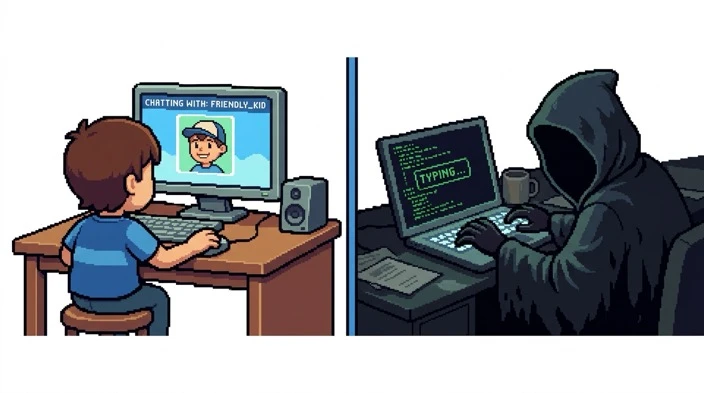
What a "stranger" means online
A stranger online is any person you do not know in real life. They might:
- Use a fake name
- Pretend to be a kid
- Pretend to like the same games
- Ask questions that feel strange
Online strangers can hide who they really are, so you have to be careful.
Why some strangers are not safe
Most people online are normal and kind. But some strangers try to:
- Get personal information
- Make kids trust them
- Ask for photos
- Ask to chat privately
- Ask to meet in person
Kids need to know that these things are not safe.
How to spot unsafe behaviour
Here are the warning signs that someone online is not being safe:
They ask personal questions
For example: "What school do you go to?" or "Where do you live?" or "What is your phone number?"
They ask for photos or videos
No safe adult or safe friend will ever ask a child for private photos.
They want to talk secretly
If someone says "Do not tell your parents," that is a big warning sign.
They try to make you feel special
Unsafe strangers sometimes say "You are my best friend" or "You are the only one who understands me." This is a trick to make kids trust them.
They ask to meet in real life
This is never safe. Kids should never meet someone from the internet.
What kids should do
1. Keep personal information private
Never share your full name, school, address, phone number, or photos.
2. Tell a trusted adult
If someone makes you uncomfortable, confused, or worried, talk to a parent or teacher straight away.
3. Block and report
Games and apps have tools to block unsafe people. Use them if someone acts strange or asks personal questions.
4. Stick to safe spaces
Play games and watch videos that your parents approve. Use child-friendly settings when possible.
5. You are never in trouble for telling the truth
If something feels wrong, speaking up is always the right choice.
Simple rules kids can remember
- If you do not know them in real life, they are a stranger.
- If someone asks for personal information, stop talking to them.
- If someone makes you feel weird or worried, tell an adult.
- Never meet anyone from the internet.
- Your safety matters more than being polite.
A simple takeaway for kids
The internet can be fun and safe when you follow the rules. You do not have to be scared. You just have to be smart.
The takeaway
If someone online acts strange, asks personal questions, or makes you uncomfortable - stop talking to them and tell a trusted adult.
Staying safe online is just like staying safe in the real world.
Keep exploring
More guides on staying smart, thoughtful, and safe online.
Spotting misinformation and checking your sources
Not everything you read, watch or get sent is true. Put on your detective hat and learn four questions that help you work out what to trust.
Privacy, passwords and your digital footprint
Everything you do online leaves a trail. Learn how to protect your private information, build passwords that are strong and easy to…
How algorithms shape what you see online
Ever wondered why your videos, games and posts seem to know what you like? A hidden set of rules is choosing for you. Learn how it works,…
Using AI tools well and honestly: A guide for curious kids and teens
AI can explain, brainstorm and help you practise, but it can also be wrong, and it can tempt you to cut corners. Learn how to use it as a…
Understanding media: How to tell what's real and what's not
Videos, ads, news, YouTube, games - not all of it is true. Learn three simple skills to tell what's real and stay in control of what you…