
Privacy, passwords and your digital footprint
Everything you do online leaves a trail. Learn how to protect your private information, build passwords that are strong and easy to remember, and leave a footprint you will be proud of.
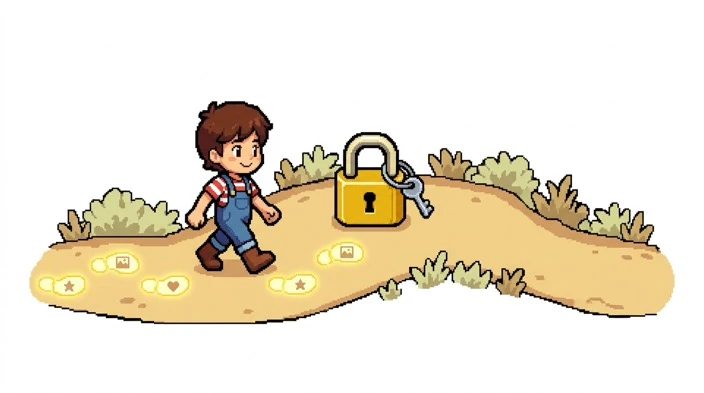
Imagine walking along a sandy beach. Every step leaves a footprint. Some wash away. Others stay for a long time.
The internet works like that beach, except the footprints can last for years. Let's learn how to walk carefully.
Usually okay to share
Things that tell people nothing about where to find you.
- Your favourite colour or animal
- A drawing you made (with no name on it)
- Opinions about a game or film
Think twice first
Things that give clues. Ask a trusted adult before sharing.
- Photos of you, friends or family
- Your school uniform or sports team
- Where you are right now
Keep private
Things that should stay with you and your family.
- Home address and phone number
- Passwords and PIN codes
- Full name together with your school
What is a digital footprint?
Your digital footprint is all the information about you that exists online. There are two kinds:
- Active footprint: things you choose to share, such as posts, photos, comments and messages.
- Passive footprint: things that are collected about you without you typing them, such as which websites you visit, your location or the videos you watch.
Once something is online, it can be copied, saved or screenshotted by someone else, even if you delete it later.
The grandparent test
Before you post, ask yourself: "Would I be happy for my grandparent, my teacher and my future employer to see this?"
If the answer is no, do not post it.
Why privacy matters
Privacy means you get to choose who knows things about you. Keeping your information safe helps protect you from:
- Strangers who might use details to find you or pretend to be someone you trust.
- Scammers who use your information to trick you or your family.
- Regret, when an embarrassing post or photo is seen by people you did not expect.
It is a bit like closing the curtains at night. You have nothing to hide, but some things are just yours.
Passwords that protect you
A password is the key to your online life. The best passwords are long, not just tricky. Here is how different kinds compare:
| Type of password | Example idea | How strong? |
|---|---|---|
| A single short word | A pet's name | Weak. Easy to guess. |
| A word with a few numbers | Your name and birth year | Weak. Easy for people who know you. |
| A random mix of letters and symbols | A jumble of characters | Strong, but very hard to remember. |
| A passphrase of 4 or more random words | Four unrelated words joined together | Strong and easy to remember. |
Build a passphrase in four steps
- Pick four random words, such as from a book opened at random pages.
- Put them together, maybe with a number or symbol between them.
- Picture a silly story that links the words so you can remember it.
- Use a different passphrase for each important account.
Golden rules for passwords
- Never share them with friends, even best friends. Parents or carers are the only exception.
- Do not reuse the same password everywhere. If one is leaked, all your accounts are at risk.
- Turn on two-step verification (also called two-factor or 2FA) when an app offers it. It asks for a second proof, like a code, as well as your password.
- Ask about a password manager. It is a safe app that remembers passwords for you. A parent can help set one up.
- Log out on shared or school computers.
Tidy up your footprint
- Check your privacy settings. Make accounts private if the app lets you, and review who can see your posts and find you.
- Look yourself up with a parent. See what shows up about you.
- Delete what you do not need. Close old accounts and remove posts you are not happy with.
- Think before you tag. Ask friends before posting photos of them, and expect the same courtesy.
- Be careful with free apps and games. Check what they ask to access, such as your camera, contacts or location.
Privacy words to know
A handy glossary:
Digital footprint
The trail of information about you that exists online.
Passphrase
A long password made from several random words. Longer is stronger.
Two-step verification
A second check, such as a code sent to your phone, to prove it is really you logging in.
Phishing
A trick message that pretends to be from someone you trust so you will share a password or click a bad link.
Myth or truth?
Decide whether each statement is a myth or the truth, then click to check.
"If I delete a post, it is gone forever."
"It is fine to share my password with my best friend."
"A longer password is usually stronger than a short, complicated one."
"A message from a friend asking for my password must be real."
"I should use the same password everywhere so I do not forget it."
Keep exploring
More guides on staying smart, thoughtful, and safe online.
Spotting misinformation and checking your sources
Not everything you read, watch or get sent is true. Put on your detective hat and learn four questions that help you work out what to trust.

How algorithms shape what you see online
Ever wondered why your videos, games and posts seem to know what you like? A hidden set of rules is choosing for you. Learn how it works,…

Using AI tools well and honestly: A guide for curious kids and teens
AI can explain, brainstorm and help you practise, but it can also be wrong, and it can tempt you to cut corners. Learn how to use it as a…
Stranger danger on the internet: Staying safe online
Not everyone online is who they say they are. Learn the signs of unsafe strangers, what to do when something feels wrong, and why telling…

Understanding media: How to tell what's real and what's not
Videos, ads, news, YouTube, games - not all of it is true. Learn three simple skills to tell what's real and stay in control of what you…